Ask about any choice on your ballot and get help weighing it, plus a chart you can read at a glance.
- Plain guidance on what matters, without telling you who to pick.
- See it, don't just read it. A clear chart with every answer.
- Bonus data. Campaign money (FEC) and Congress votes, broken down when available.
1. Add Voter Choice to Claude
Voter Choice never asks for your address. Our tools only receive the ZIP code or race Claude looks up, and we don't log them. Privacy Policy · Terms
- Open Claude and click Customize.
- Click Connectors.
- Click + Add.
- Click Add custom connector.
- Name it Voter Choice and paste the connector link below.
- Choose No sign in.
- Click Add.
Connector link
https://voterchoice.vote/api/mcpClaude may say “not verified by Anthropic.” It says that for every custom connector. Ours only reads public voting data. AI can make mistakes. Check anything that matters.
2. Ask Claude to use Voter Choice
Ask Claude anything about your ballot or your candidates. It will pull from Voter Choice. If it searches the web instead, just say “Use Voter Choice.”
| Try asking | You get |
|---|---|
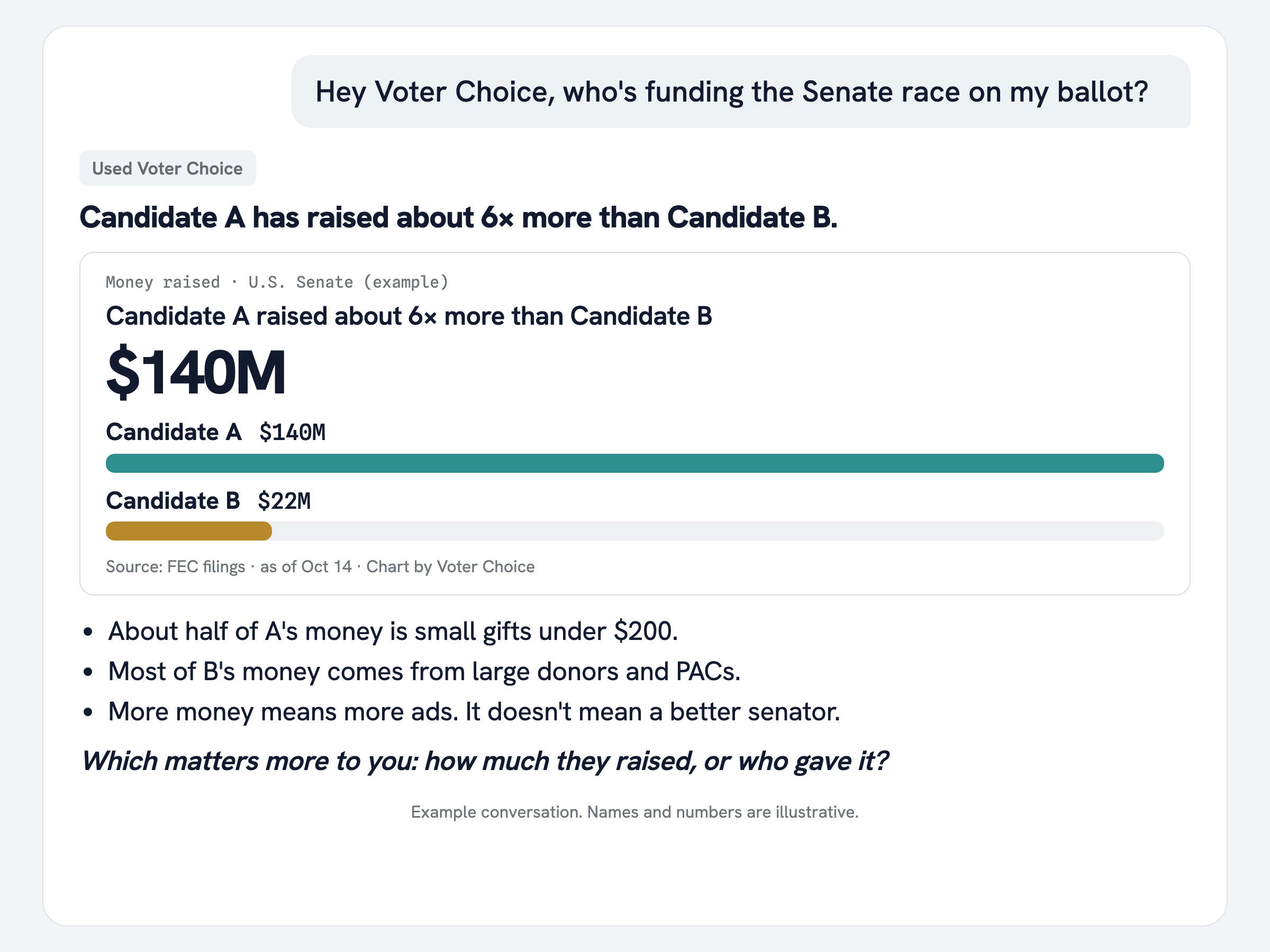
| Hey Voter Choice, who funds the candidates in my Senate race? | A chart of where their money comes from |
| Help me think through Prop A on my ballot. | What a yes or no vote does, in plain words |
| My ballot is long. Where should I start? | A quick plan for which races to look at first, and why |
| How do I decide on judges? | Simple things to check, without telling you who to pick |
| How has my representative voted? | Their key votes, in a chart |
| Make me a printout of my choices. | A one-page list, in ballot order, to take to the polls |
Tip: share your ZIP code or a photo of your sample ballot so Claude can find your races.
Helped?💛 Chip in $10